
META BUSINESS AGENT · WHATSAPP BUSINESS
Artificial intelligence agents on WhatsApp: what they are and how to prepare them for sales.
Meta Business Agent aims to make WhatsApp Business a channel that can answer questions, recommend products, book appointments, qualify opportunities and hand conversations to a person when needed.
Products, services, policies, prices and documents.
Answers, recommends, schedules and qualifies.
The team sets rules, boundaries and when to intervene.
01 · WHAT IT IS
A useful agent does not improvise: it works from your business's knowledge.
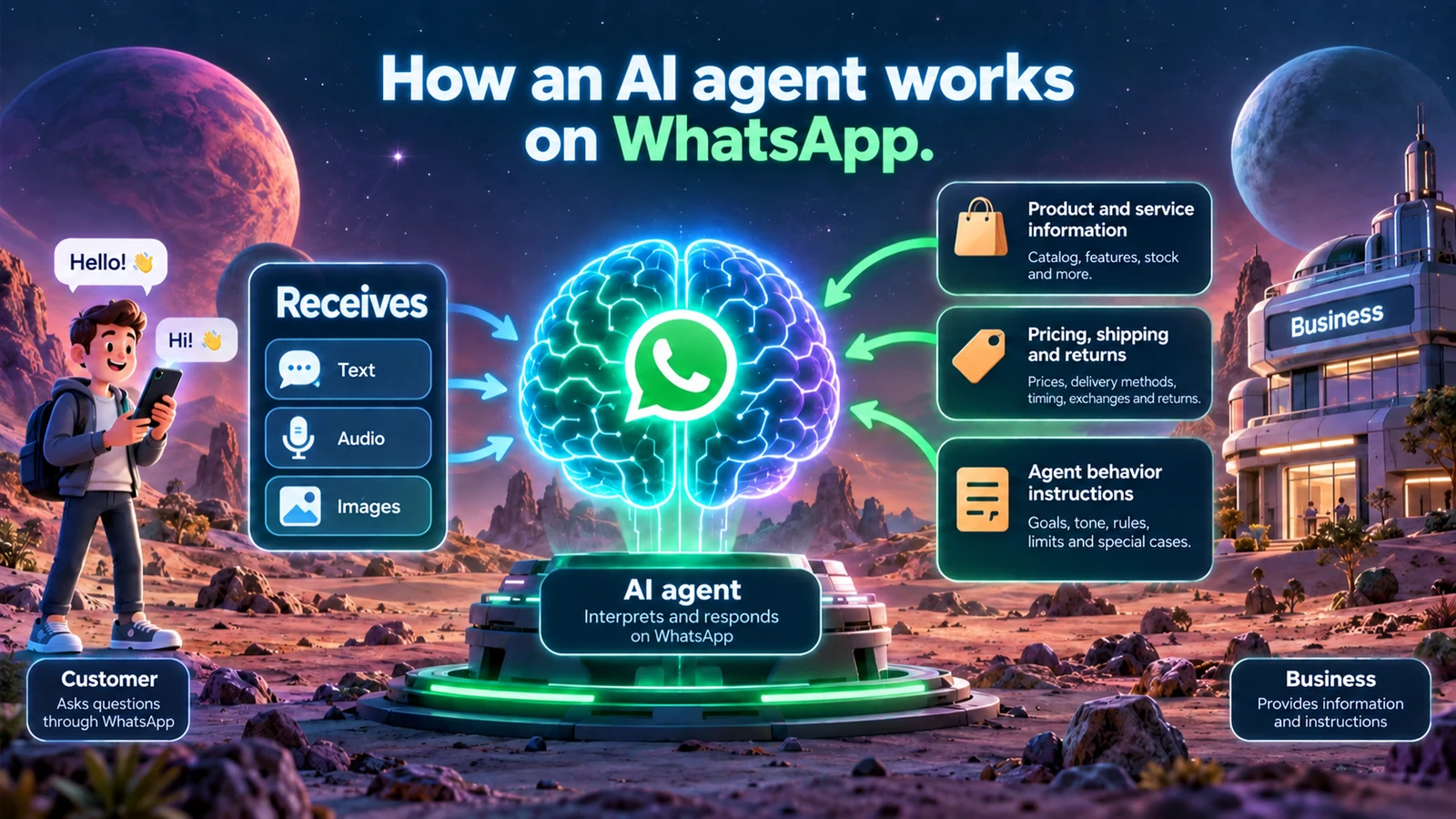
Customers may write, send a voice note or share an image. To respond well, the agent needs reliable information: catalog, specifications, inventory, pricing, shipping, exchanges, returns and service rules.
The business defines the goal, tone and limits. The agent interprets the inquiry, consults its sources and builds a response; it should not invent facts or make sensitive decisions without authorization.
02 · INSIDE WHATSAPP BUSINESS
Knowledge, actions and controls in one place.
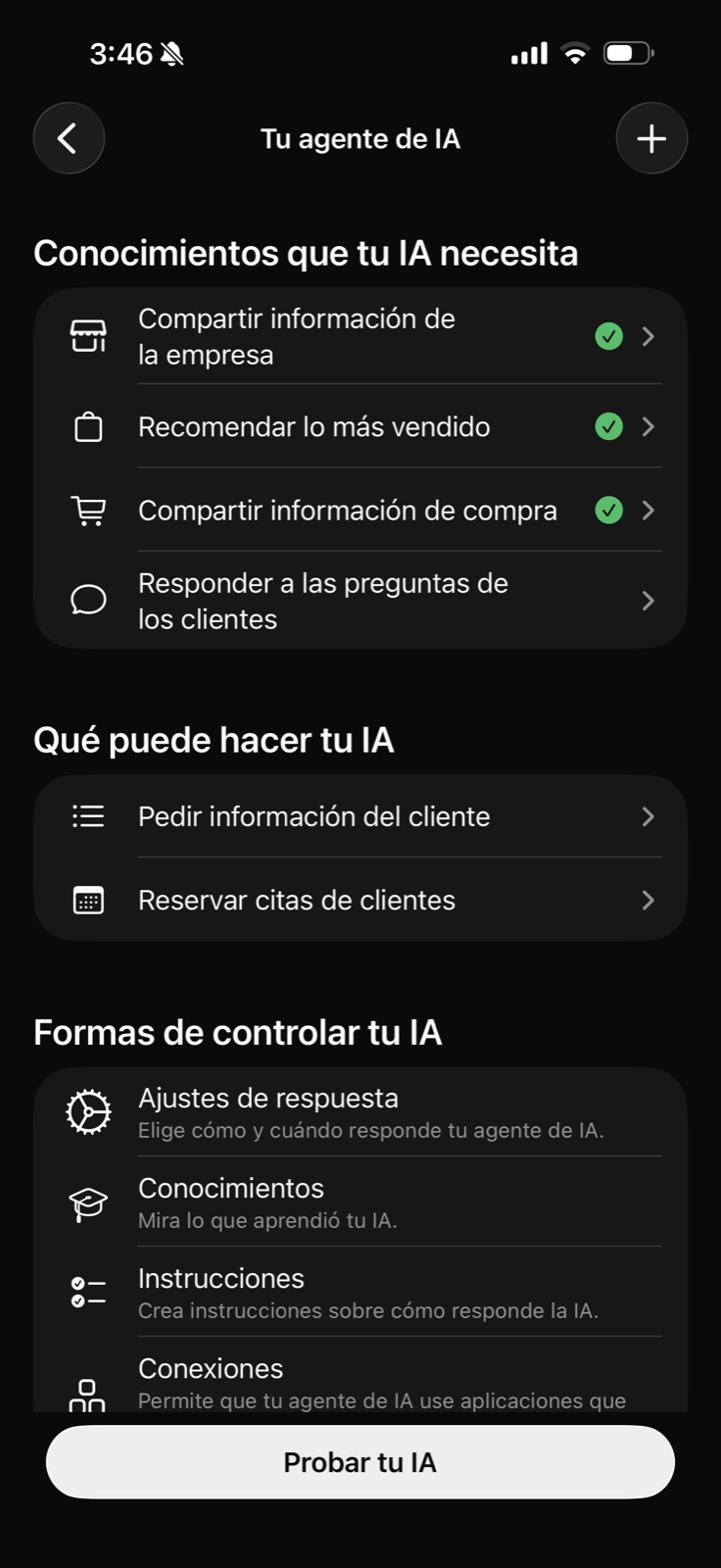
The agent screen lets you share company information, recommend products, explain purchasing and answer questions. It also shows actions such as requesting information or booking appointments, alongside controls for responses, knowledge, instructions and testing.
An agent's quality depends less on a brilliant phrase than on the information, rules and tests the business provides.
03 · THE INSTRUCTIONS
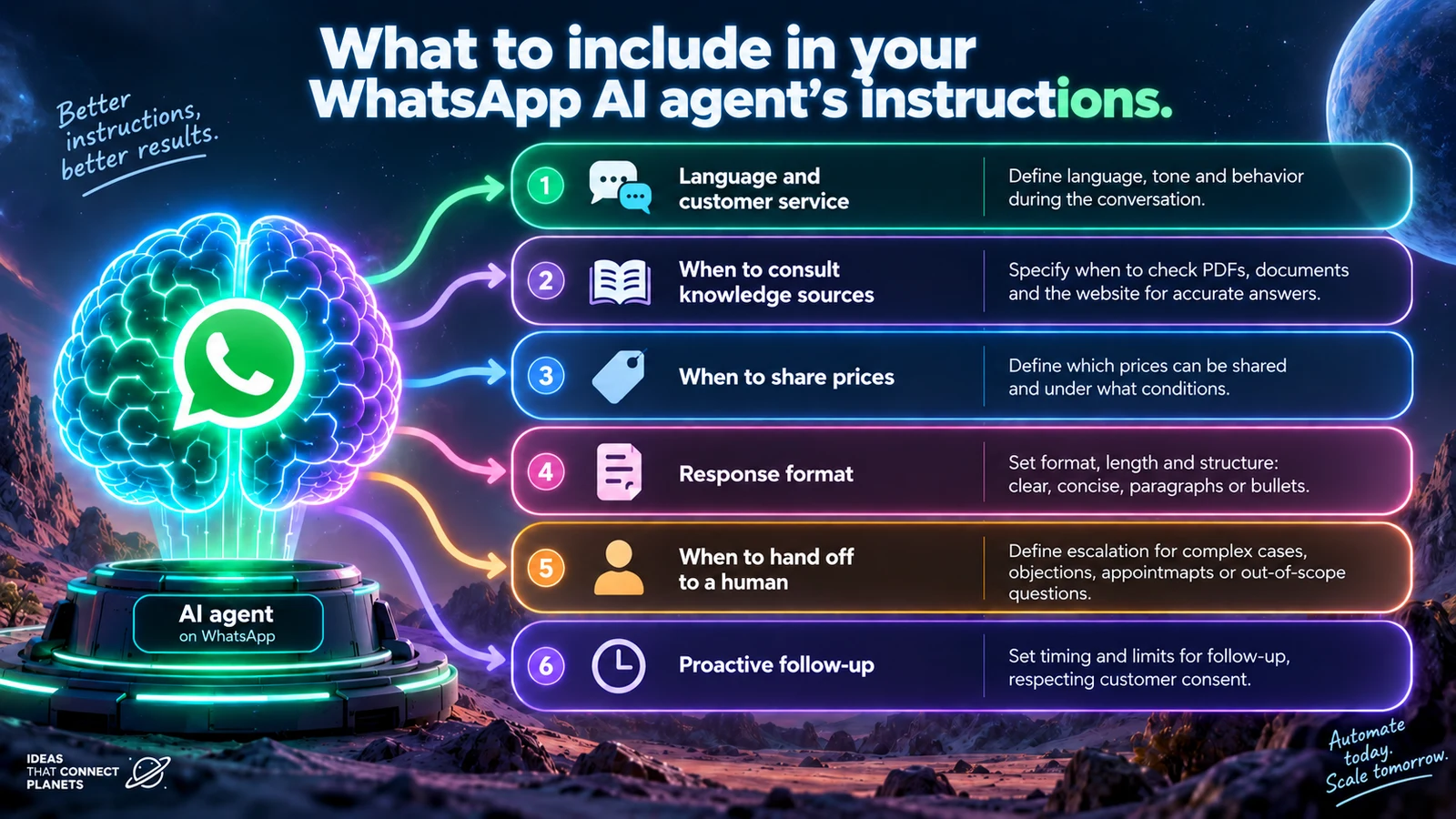
Six decisions that prevent generic replies.
Language and tone
Define greetings, tone and behavior throughout the conversation.
Knowledge sources
Specify when it should consult the website, catalog, documents or internal information before answering.
Prices and terms
Clarify when it can share prices, availability, shipping, exchanges and returns.
Response format
Define whether replies should be brief, step-by-step or include links, images or videos.
Human handoff
Define cases that need an advisor: complex questions, complaints, negotiation, appointments or out-of-scope topics.
Follow-up
Decide whether it should follow up and within which limits, avoiding repeated or unnecessary messages.
04 · FROM INQUIRY TO OPPORTUNITY
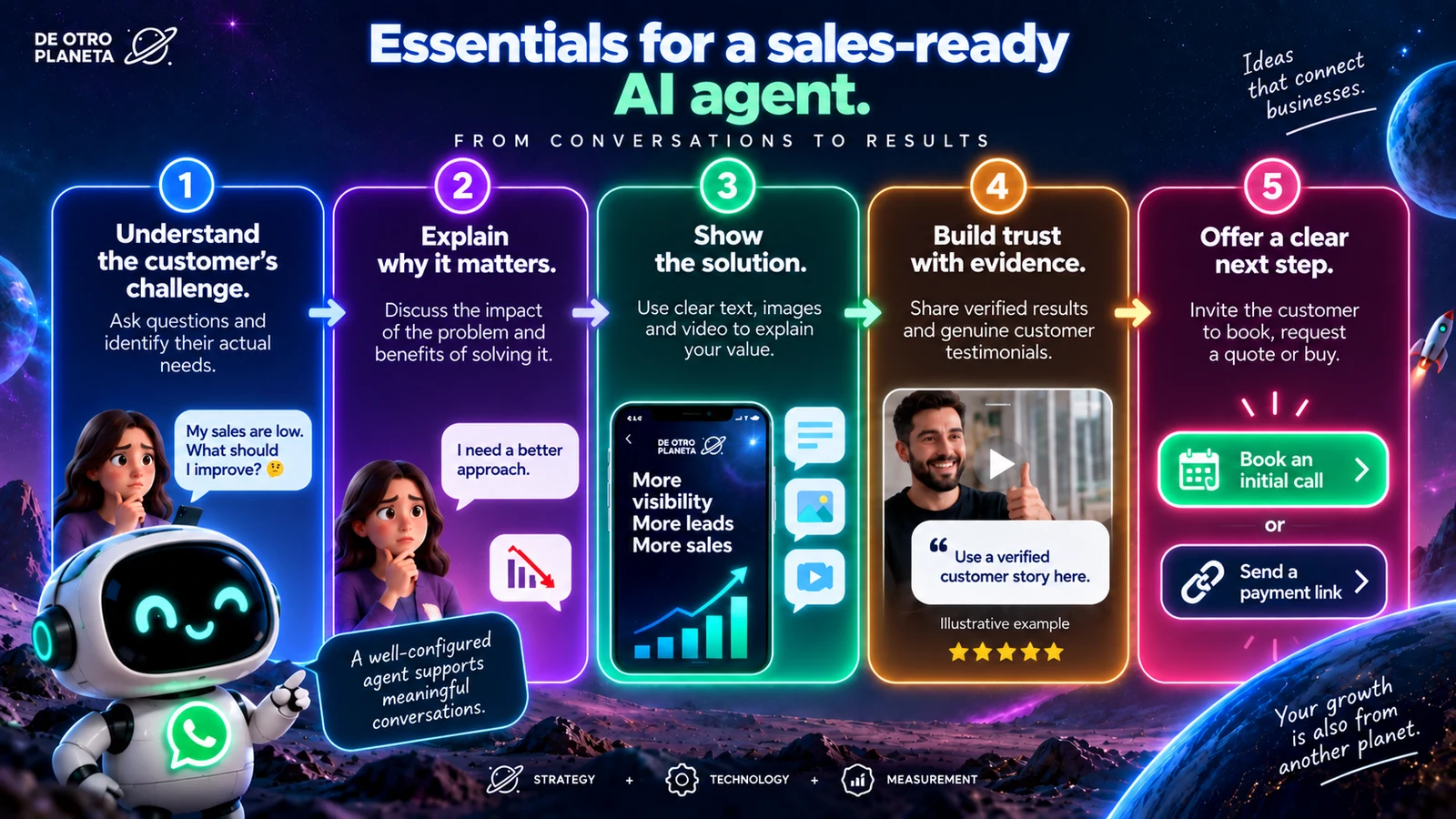
Responding quickly helps. Guiding the conversation well helps more.
- 01Understand
Identify the customer's actual situation before making an offer.
- 02Provide context
Explain why addressing the problem now is worthwhile.
- 03Show
Present the solution with text, images and video when helpful.
- 04Build trust
Use verifiable results, cases or testimonials to build trust.
- 05Act
Close with a clear next step: request a quote, book, buy or speak to a person.
05 · TWO IMPLEMENTATION OPTIONS
Meta's native agent or an external provider.
They are not exactly the same. The best choice depends on volume, integrations, required control and budget.
Configuration within Meta's ecosystem.
Meta presents it as a solution that can answer questions, recommend products, book appointments, qualify opportunities, close sales and allow team intervention.
Availability is expanding and may vary by country, account and access stage.More integrations and a tailored operation.
Solutions connected to WhatsApp Business Platform can include a CRM, custom workflows, multiple agents, analytics and specialized automation.
They may add provider, implementation, maintenance and Meta messaging charges.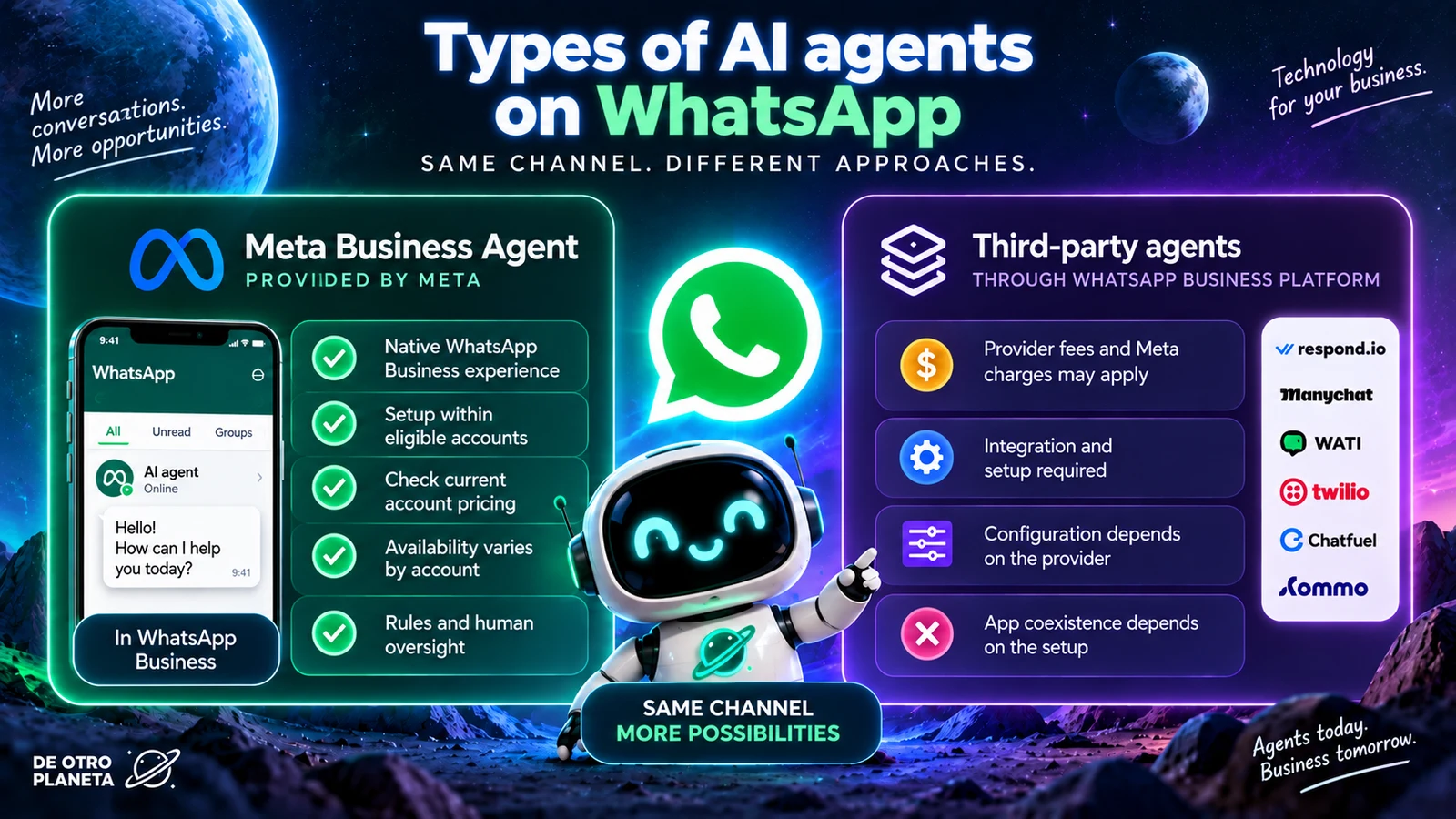
06 · HOW TO PREPARE
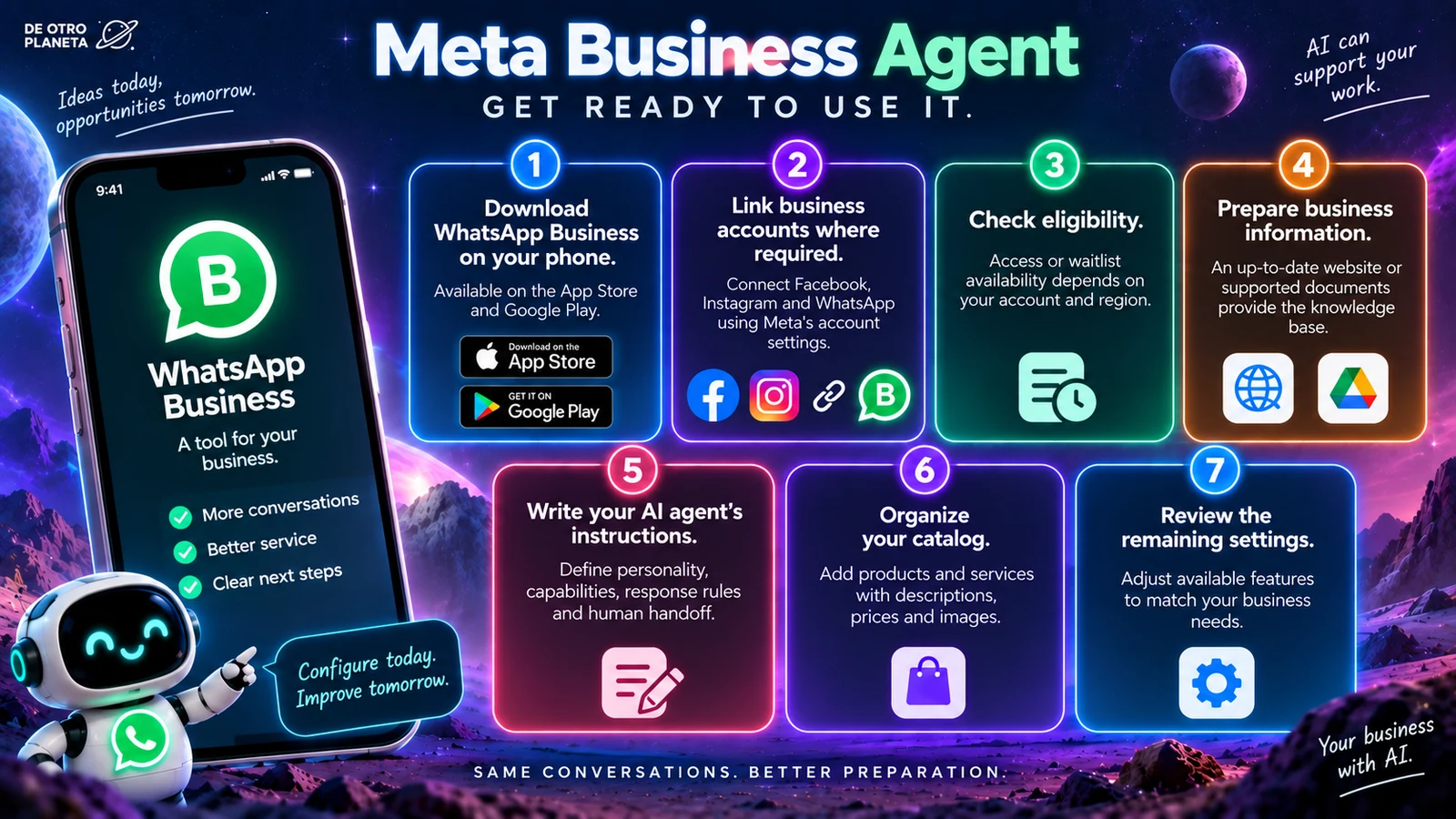
Organize the information your agent will use first.
- Use a WhatsApp Business account and check whether agent access is available for your business.
- Connect the business assets Meta requires for your account correctly.
- Prepare a website or up-to-date documents covering products, services and policies.
- Write specific instructions for tone, prices, responses, limits and human handoff.
- Complete and review the catalog with names, images, descriptions and prices.
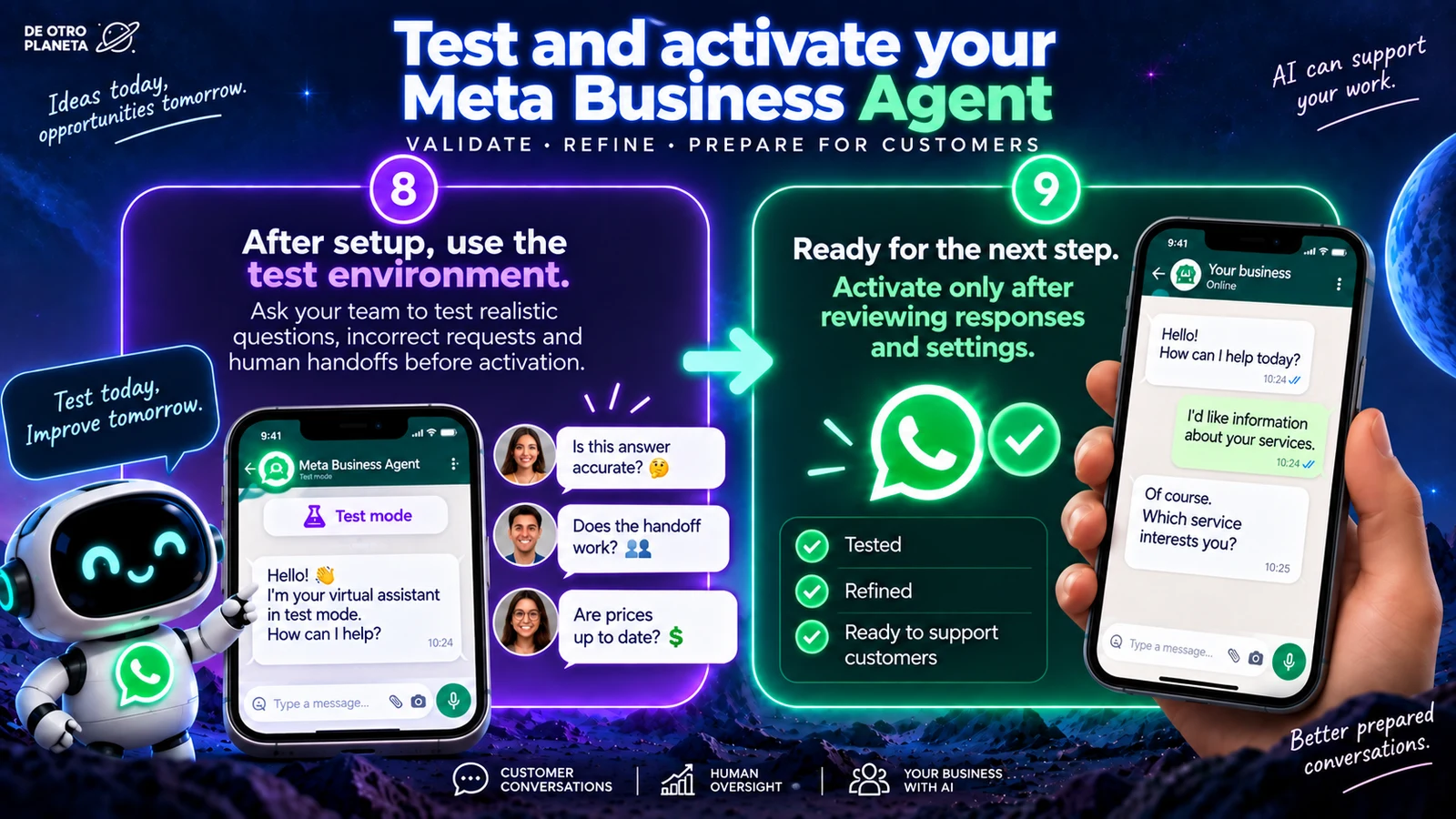
- Test real questions before allowing the agent to serve customers.
07 · COSTS AND LIMITS
Starting free does not mean operating free forever.
Meta announced that getting started with Meta Business Agent is free and that paid subscriptions will follow. WhatsApp Business Platform messaging charges and, where applicable, external provider fees may also apply.
From October 1, 2026, Meta will charge starting with the 1,001st service message delivered each month on WhatsApp Business Platform.
Delivered messages count
The official rule refers to delivered service messages. The free tier resets each month and does not roll over.
Rates vary by market
Meta states that service messages will use the utility and authentication rates applicable to the country or market.
There is a 24-hour window
A service message can only be sent within the window opened or renewed by a customer's message.
Do not confuse the app and the platform
The cited source governs WhatsApp Business Platform (WABA). It does not say every manually typed message in the free app will be charged.
There may be more than one bill
Separate agent subscription, Meta messaging, external provider, implementation and maintenance costs.
Without a payment method, there is an operational limit
Meta warns that without a payment method, it will deliver the first 1,000 service messages of the month, but not subsequent ones.
STRATEGY · INFORMATION · TESTING · CONTROL