
Websites
How I built my own Asana-style task app with ChatGPT and Codex
I'm Jairo Vélez. I wanted our team to know what to do, for whom and by when, without adding a complicated tool. This is how we built DOP Tareas with ChatGPT and Codex: our own task platform, inspired by the workflow of Asana and Trello, with ownership, recurring tasks and phone notifications.
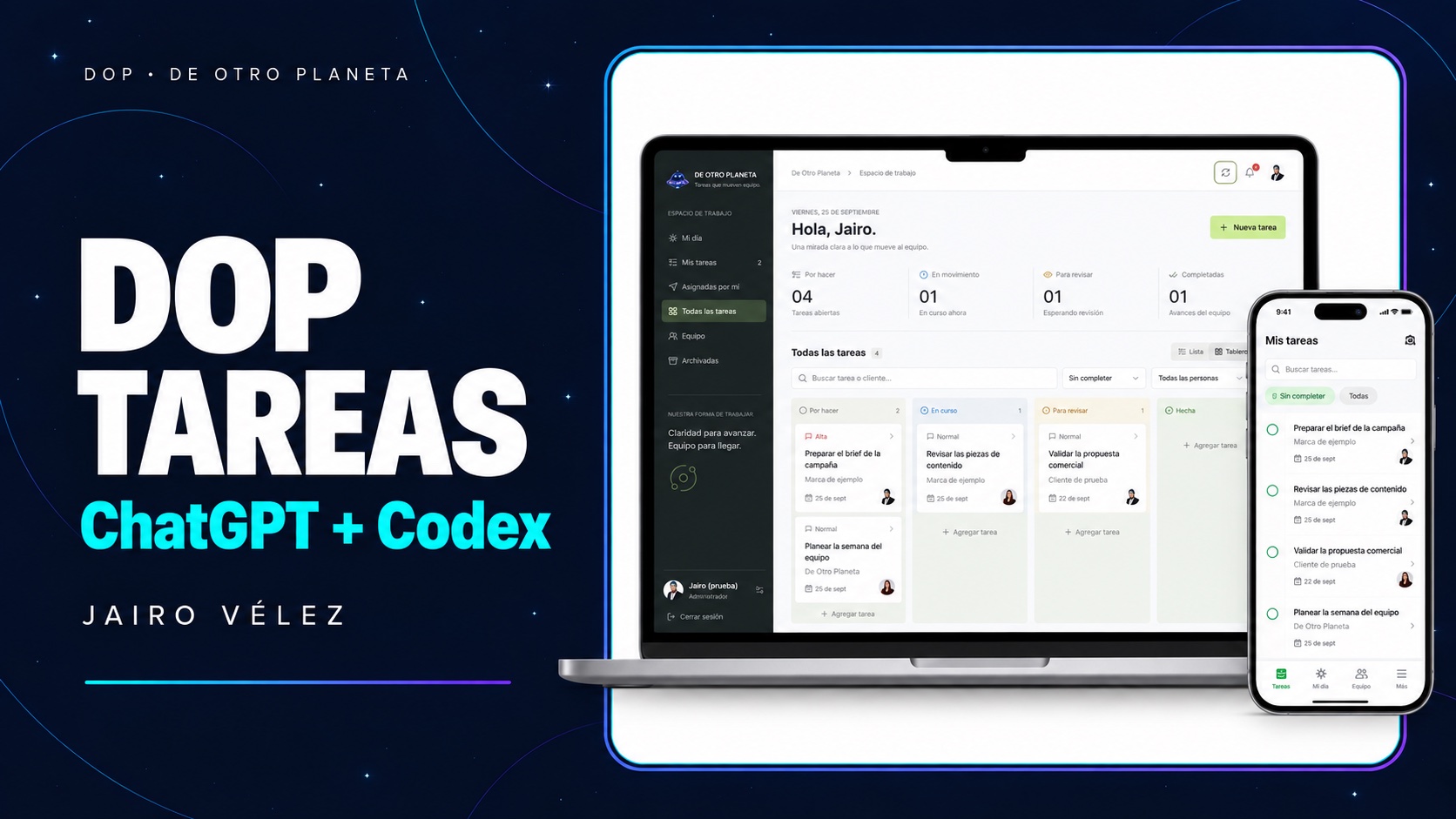
The problem was not building another app
At De Otro Planeta we are a team of around 15, with roughly 10 people involved in daily operations. We needed to assign work, share responsibilities and see progress without relying on everyone remembering each conversation. Team members needed to assign tasks to one another, while Camila and I needed administrative oversight.
We already used business tools. Before adding another subscription, I wanted to explore a simple platform with our identity and answer an important question: what would we keep if we changed providers? A nice screen was not enough. We needed persistent data, access control and a way to export our work.
We did not build a full replica of Asana or Trello, and we are not affiliated with those brands. We built a tool for our operation. AI helped develop the software; decisions, review and testing remained our responsibility.
Before you start: what you need
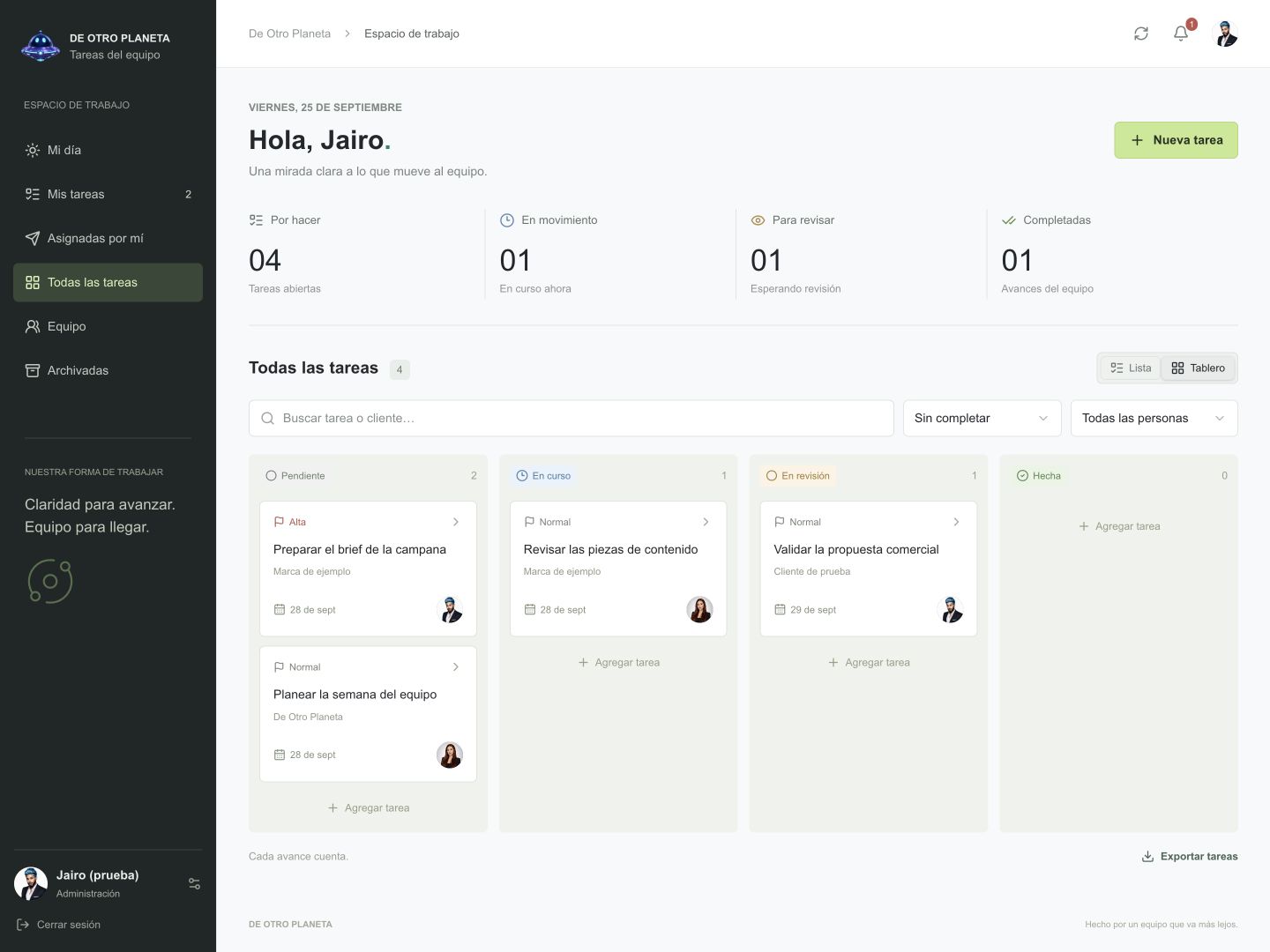
This guide is for business owners, not just developers. The prompts are edited, reusable versions of our instructions, not a verbatim transcript. The screenshots show the real software with fictional data; the cover is an illustration. The app itself is in Spanish.
- An account with access to Codex and an environment where it can work on project files. A text conversation alone does not host an application.
- A list of people, roles and rules: who assigns work, who can see each task and who administers the system. Define what completing a task means.
- A computer for reviewing the preview and phones for real-device testing. Start with fictional examples, not confidential client information.
- Hosting with a backend and database, plus HTTPS for the live version. A custom domain is optional; we used a subdomain.
- Someone responsible for reviewing security, costs, backups and maintenance before onboarding the team. Never put private keys into prompts.
1. Describe the work, not just the screen
I began by describing the people and their daily work. After seeing the first version, we refined names, team portraits and how tasks were presented. Asking for a preview gave us room to review before publication.
Build a task platform for [company] with [number] people. I need administrator and adviser roles; advisers can assign tasks to one another. Each task needs a title, context, client, owner, deadline, priority and status. Include My day, list, board and comments. Use fictional data. Inspect any existing project first and show a mobile-friendly preview. Do not publish or replace existing data. Explain costs and limitations before choosing services.
A workspace with visible owners and statuses, list and board views, search and filters. Administrators have additional controls. Each person signs in with a username and password: this version does not use Google sign-in.
2. Keep data outside the browser
A demo can lose its data when you switch devices if it only uses local storage. We therefore asked for server-side persistence and permissions that did not depend on simply hiding buttons.
Connect the preview to a persistent database. Validate on the server what each role may read or change. Protect passwords and sessions, limit login attempts and keep secrets out of public code. Test with two users in different browsers. Add task export and explain backup and recovery. Do not use production accounts or the production database for testing.
The interface calls an API; the API checks the session and permissions, then stores work in a database. Updating the software does not mean replacing that database. Exports help preserve information, but migration also needs source code, configuration and a tested recovery procedure.
- 01User: signs in with their account
- 02Server: checks permissions
- 03Database: preserves the work
3. Turn a routine into a recurring task
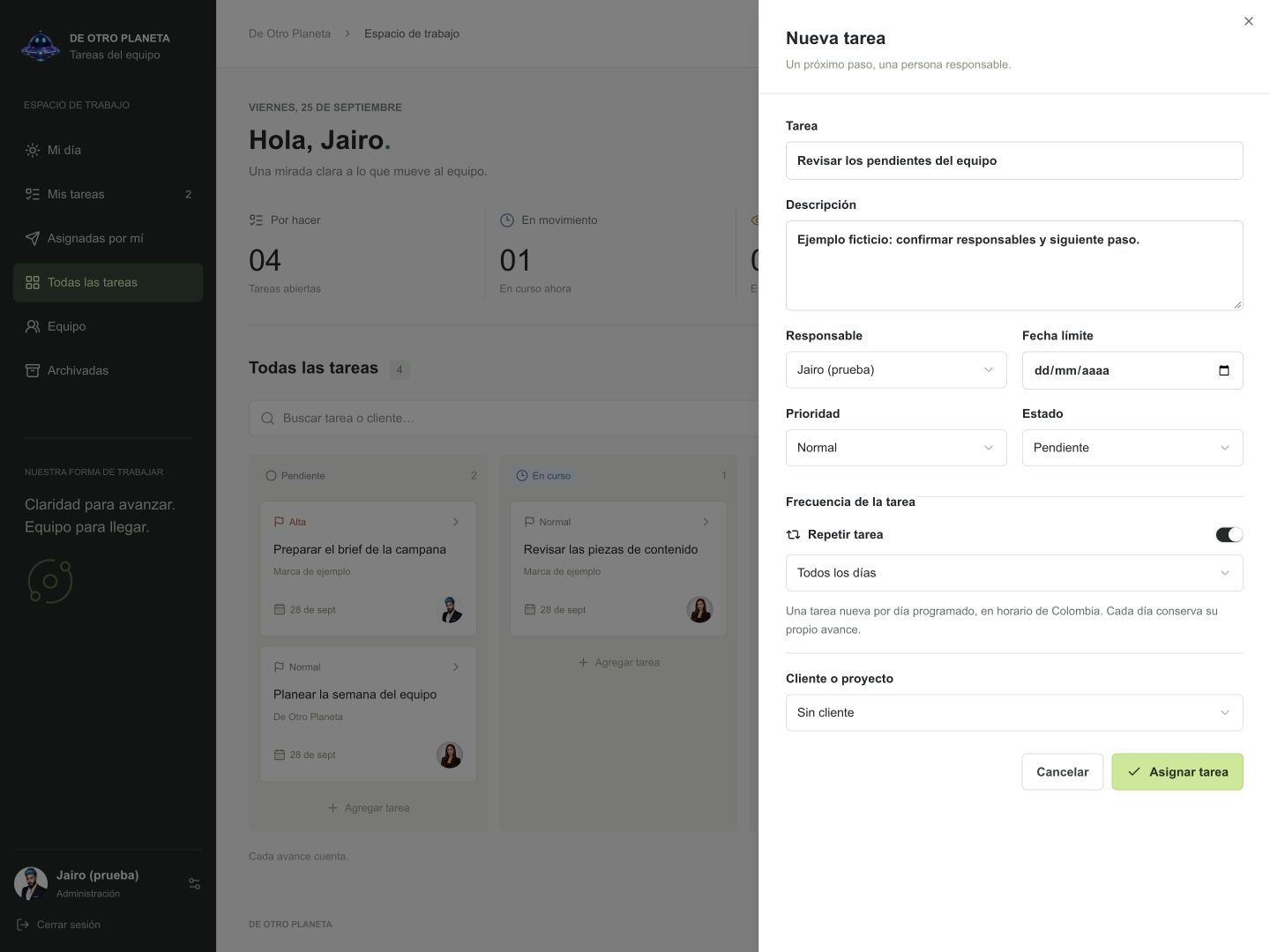
Using the platform revealed an everyday need: some tasks come back each day. We also simplified client selection with a dropdown and an option to type another name.
Add task frequency: every day, Monday to Friday or selected weekdays. Each occurrence must keep its own status and history and must not duplicate on refresh. Use Colombia's time zone. Add a client dropdown and an Other option with manual entry. Preserve existing tasks and test in an isolated copy before publishing.
We can create a routine without typing it again each day. In this version, today's occurrences are generated when the app fetches or refreshes data; there is no fixed-time alarm scheduler. Completing today's task does not complete tomorrow's.
4. Bring the notification to the phone
We wanted to know about changes without opening the platform to check for updates. We implemented web push notifications with explicit permission on each device. They cover events such as assignments, updates and comments according to recipient rules; they are not WhatsApp messages.
Implement Web Push with HTTPS, a service worker and VAPID keys protected on the server. Each user must be able to enable, disable and test notifications on their device. Do not expose sensitive information on the lock screen. Keep test and production data separate. Test on iPhone and Chrome for Android before publishing, and distinguish provider acceptance from actual receipt by a person.
I first confirmed receipt on iPhone and then on Chrome for Android. On Android I signed in, allowed notifications and sent the test: it reached the notification tray without installing the website. This confirms my devices, not every possible version and configuration.
- 01Allow: each device chooses
- 02Send a test: check delivery
- 03Receive: check the phone's notification tray
Android and iPhone: notifications and a home-screen icon
On Android these are separate actions. For DOP Tareas notifications: open the site in Chrome, go to your profile, enable notifications, accept the browser permission and select Send test. Keep Chrome notifications enabled in your phone settings. Installation was not needed for this workflow.
To add the Android icon as well: open the site in Chrome, tap the three-dot menu and choose Install and create shortcut. Then choose Install if available, or Create shortcut, and confirm Add. Labels vary by version. An installed app may open in its own window; a simple shortcut opens the site in Chrome. Neither option is a task widget.
On iPhone with iOS 16.4 or later: open the site in Safari, select Share and Add to Home Screen. Open the app from that icon, sign in and enable notifications in your profile. Accept the permission and send a test. Adding the app to the home screen is required for this Web Push workflow.
If a notification does not appear, check site and system permissions, focus modes and the account session. Never share credentials or screenshots of private data when requesting help. Adding an icon does not make this platform work offline.
5. Improve the software without erasing the work
Once real tasks existed, preserving records became my main condition for every update. We tested separately and published only after review.
Before updating production, create and verify a recoverable backup. Compare users, tasks, statuses, recurrence rules and history before and after. Apply only necessary migrations and never reset or seed demonstration data in production. Document changes, files, configuration and rollback to a stable version. Stop if information is at risk and wait for my approval before publishing.
Code and business data are managed separately. New tables and features were added without replacing existing records. A backup is only the beginning: recovery must be tested and older code must remain compatible with database changes if a rollback is needed.
- 01Back up and verify
- 02Test with fictional data
- 03Release and compare records
What Codex built behind the interface
ChatGPT and Codex helped translate my instructions into code, investigate errors and prepare tests. This describes our architecture, not a mandatory toolkit for every business.
- Interface: React and TypeScript with Vinext. Task, team and profile screens adapt to phones and computers.
- Backend: a Cloudflare Worker serves the API. Cloudflare D1, based on SQLite, stores users, tasks, comments, recurrence rules and push subscriptions; schema changes are versioned migrations.
- Access: PBKDF2-derived passwords with individual salts, HttpOnly session cookies and server-side permission checks. These measures do not remove the need for security review.
- Push: a service worker, web manifest and VAPID. The server sends to each device's authorized subscription. This web workflow does not require an app-store release.
- Hosting: Sites on Cloudflare infrastructure, with a subdomain configured at GoDaddy. DNS points to the hosting service; it does not store tasks. Creating the subdomain did not require changing email records or the main website.
- Portability: versioned source code, CSV export and a JSON business-data backup. That JSON excludes credentials and sessions and is not a one-click full restore.
What we learned, costs and limitations
The first push test did not arrive. We found a network option incompatible with the execution environment and corrected it. The lesson was specific: passing a simulated test does not mean a notification reaches a phone. Test the real server environment and confirm receipt on real devices.
Building with AI does not mean running AI for every task. This version does not call an OpenAI model to create tasks, change statuses or send push notifications. Budget for the development plan, domain, hosting, database, usage limits and maintenance. We do not promise it will be free forever or give a universal price.
The profile email is contact information: it does not automatically enable email alerts, Google sign-in or WhatsApp messages. Those integrations need implementation and a review of costs and permissions. Fixed-time alarms, offline work and the complete feature set of an established enterprise task manager are also outside this version.
Keeping source code and backups helps you change providers; it does not keep a cancelled hosting service running without migration. An existing tool may still be a better choice for a team without technical support. Start with one small need, verify the solution and grow without risking the data.
Take the guide and adapt it to your business
Start with the first prompt, replace the bracketed fields and review the result before moving on. Do not send every step at once without checking access control and persistence. The goal is not more software: it is a team that knows its next step.
Sources and references
STRATEGY · CREATION · SALES
Let's turn the idea into a plan for your business.
Let's review your offer, your customer journey and improvements that make sense for your business.
Explore our strategy and technology approach for businesses ↗Let's discuss your project ↗